
Zoom and Teams Interpretation: What the Platform Gives You, and What It Does Not
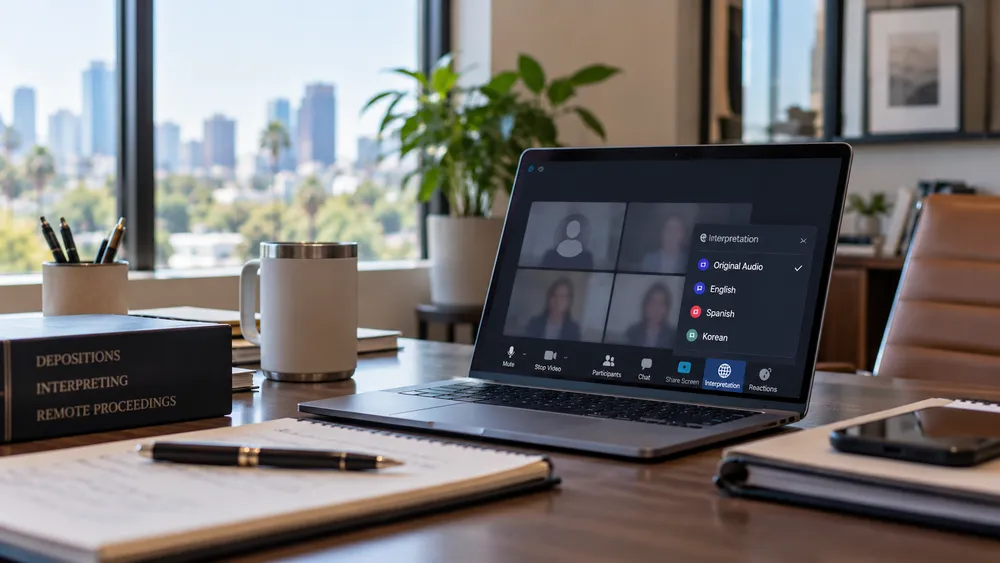
Zoom and Microsoft Teams both have language interpretation features that have made remote interpreted proceedings run more smoothly than they used to. Neither one supplies a human interpreter. That still has to come from somewhere else, and it is the decision that determines whether the record holds up.
How It Used to Work, and What Changed
Before these features existed, an interpreter joined a remote proceeding as a regular participant, one more voice on the call. For simultaneous interpretation, the interpreter would unmute and speak while the proceedings continued, which meant everyone on the call heard the original speaker and the interpreter at the same time, creating audio confusion. For consecutive interpretation, the proceeding stopped, the interpreter spoke, and then resumed. Either way, the interpreter was in the middle of the room in a way that slowed things down.
The dedicated language interpretation features changed that. The interpreter is now assigned to a separate audio channel. They listen to the proceeding through their device and interpret simultaneously, in real time, while the speaker continues. The participant who needs interpretation selects their language channel and hears the interpreter’s voice through their headphones, with the original audio underneath at lower volume if they want it. Everyone else on the call hears only the original speaker. For the stretches being interpreted simultaneously, the proceeding runs at the same pace as an in-person one with a booth interpreter, and the interpreter stays behind the scenes.
Simultaneous Channels and Consecutive Testimony
A language channel answers one need. A party who does not speak English hears the questions, the objections and the argument as they happen, without the proceeding stopping for anyone. That is simultaneous interpreting, and it is what the feature was built to deliver.
Testimony is the other need, and it works differently. A question and its answer are interpreted consecutively: counsel asks, the interpreter renders the question, the witness answers, and the interpreter renders that answer out loud so the reporter takes it down. The rendering belongs on the main channel because the transcript is built from it. The National Association of Judiciary Interpreters and Translators (NAJIT) argues in its position paper on consecutive interpreting at the witness stand that consecutive should always be the only mode used there. In federal proceedings instituted by the United States, 28 U.S.C. 1827(k) sets the simultaneous mode for a party and the consecutive mode for witnesses, and the presiding judicial officer may authorize otherwise after a hearing on the record. A deposition in a state civil matter is not governed by that statute, and counsel settles the mode there.
So a remote interpreted deposition usually needs both: a channel so the party can follow along, and an interpreter working consecutively on the record when the witness testifies. Switching the feature on arranges the first one. It does not arrange the second, and it does not decide who performs either one.
What Zoom Provides
Zoom’s language interpretation feature creates the audio channel infrastructure. The host sets up a channel for each language needed and assigns an interpreter to it by email address before the meeting. The interpreter joins the call like any other participant, and once the host activates the feature, they speak into their assigned channel while the proceeding continues uninterrupted for everyone else.
Zoom does not hire, vet, or know anything about the interpreter assigned to the channel. Whoever the host assigns is the interpreter. The feature routes their voice. Everything else is the host’s responsibility.
Zoom has also added a voice translator, which is a separate feature from the interpretation channels and involves no human interpreter. It runs as automatic speech recognition, then machine translation, then text to speech, and it delivers spoken output rather than captions. It currently covers English, Chinese, French, Japanese, Spanish, German, Italian, Arabic and Portuguese.
The detail that matters in a legal setting is who switches it on. The interpretation channels are a host arrangement, set up before the meeting. The voice translator is not. On an account carrying the live translation add-on or ZoomMate, it is a menu item inside the session: a participant opens More, selects Voice Translator, picks the language they speak and the language they want to hear, and it starts. Zoom’s documentation states that it “can only be configured during a meeting,” so each participant controls their own setting, and Zoom’s own caveat is that “translation quality may vary and evolve depending on language pair, audio quality, and speaking clarity.”
That means a machine rendering of testimony can be playing in somebody’s ear while a sworn interpreter is working on the record. Only one of those two renderings is the one the transcript is built from, and only one of them can be questioned about a word.
What Teams Provides, Including the Part That Is New
Microsoft Teams covers the same dedicated channel routing and has added something further. Teams now offers AI-powered live interpretation, called Interpreter, for organizations with a Microsoft Copilot or Teams Premium license. The AI listens and generates a machine rendering that participants hear in their language automatically, with no human interpreter involved.
Microsoft’s own documentation is specific about what the agent does, and three details matter for a legal proceeding. Interpretation runs twenty hours per person per month on a Copilot license, so it is already available inside most tenants rather than being something a firm has to buy. The translated speech is generated in the speaker’s own voice, which Microsoft describes as letting participants hear translations “as if you’re speaking their language directly.” And the same page warns that “interpretation of people’s names, genders, or technical terms may be inaccurate,” and that meeting recordings “only capture the original meeting audio and don’t include interpretation audio.”
That combination is worth sitting with before a deposition. A synthetic voice that sounds like the witness renders the testimony, the vendor itself flags names and technical terms as a weak point, and the interpretation is not in the recording afterward.
The AI feature deserves a precise description because it sounds like it solves the interpreter problem entirely. It does not. A machine rendering takes no oath, cannot be cross-examined on its accuracy, and is not designed to survive a legal transcript. Microsoft’s own guidance notes that Teams meeting recordings capture only the original speaker, not the interpreter. It is useful for an internal meeting or a routine call where a misunderstanding costs a follow-up email. For a sworn proceeding where the record matters, it is not a substitute for a human interpreter.
What Neither Platform Gives You
The features improve audio delivery. What they do not provide are the things that make the interpretation legally defensible.
A credentialed human. Neither platform vets anyone. Whoever is assigned to the channel is the interpreter, whatever their training or certification.
Variety matching. A channel labeled Spanish does not know whether the witness speaks Mam. A channel labeled Chinese does not distinguish Mandarin from Cantonese or Taishanese. The platform routes audio. It does not ask what the witness speaks.
An oath and a named interpreter on the record. In a legal proceeding the interpreter is sworn and identified by name; under Federal Rule of Evidence 604, an interpreter “must give an oath or affirmation to make a true translation.” A platform feature has no concept of either, and a transcript that cannot say who interpreted is a transcript with a gap in it.
Preparation. An interpreter who receives case materials, exhibit names, and technical vocabulary in advance renders them accurately. A voice assigned to a channel the morning of the deposition does not.
Coverage for a long session. Accuracy falls with fatigue before anyone in the room notices. Extended testimony is staffed with two interpreters who trade off, as NAJIT’s 2026 position paper recommends. That is a staffing decision no platform makes.
A backup when someone drops. If the interpreter loses connection or does not appear, the meeting continues without interpretation. Nobody is watching, because no vendor is responsible.
The platform gets the interpreter’s voice to the right person. Who that interpreter is, what they are qualified in, and what happens if they do not show are questions for the agency you book them through.
Kaplan Interpreting Services staffs remote legal proceedings on the client’s own platform, including Zoom and Microsoft Teams, with court-certified interpreters, the credential named on the confirmation, and team coverage on extended sessions. Contact us with the platform, the language and variety, the proceeding type, and the date.
Not legal advice. Platform features change. Verify current capabilities with the provider.

CEO & Founder
Born in Dallas, Texas, Alexandra grew up surrounded by Spanish, English, Arabic, and Italian. After moving to Venezuela, Spanish became her primary language. She holds a Master's in Healthcare Administration from Washington University in St. Louis and is a California court certified and medical interpreter.
She founded Kaplan Interpreting Services after seeing an industry that treated interpreters as interchangeable and clients as ticket numbers. She built a protocol-driven operation where every interpreter is hand-selected and credentialed for the specific setting, every client has a dedicated point of contact, and risk management is built into every assignment.
Her career reached a historic milestone when she interpreted the conversation between President-elect Biden and Pope Francis. That assignment, along with engagements for Nike and the Summit of the Americas, set the standard for every client engagement that followed.
"The same protocols that protected that historic conversation now protect every assignment we handle."